
Configuring Robots.txt
Updated 6 months ago
The robots.txt file tells search engines and other web crawlers which pages they are allowed to crawl on your site. It's a simple text file that sits at the root of your domain and follows the standard robots.txt specification.
Accessing Robots.txt in Umso
To modify your site's robots.txt file:
Open your site in the editor
Click Site Settings in the sidebar
Navigate to Advanced Settings
Select Robots
Edit the robots.txt content in the code editor
Click Save
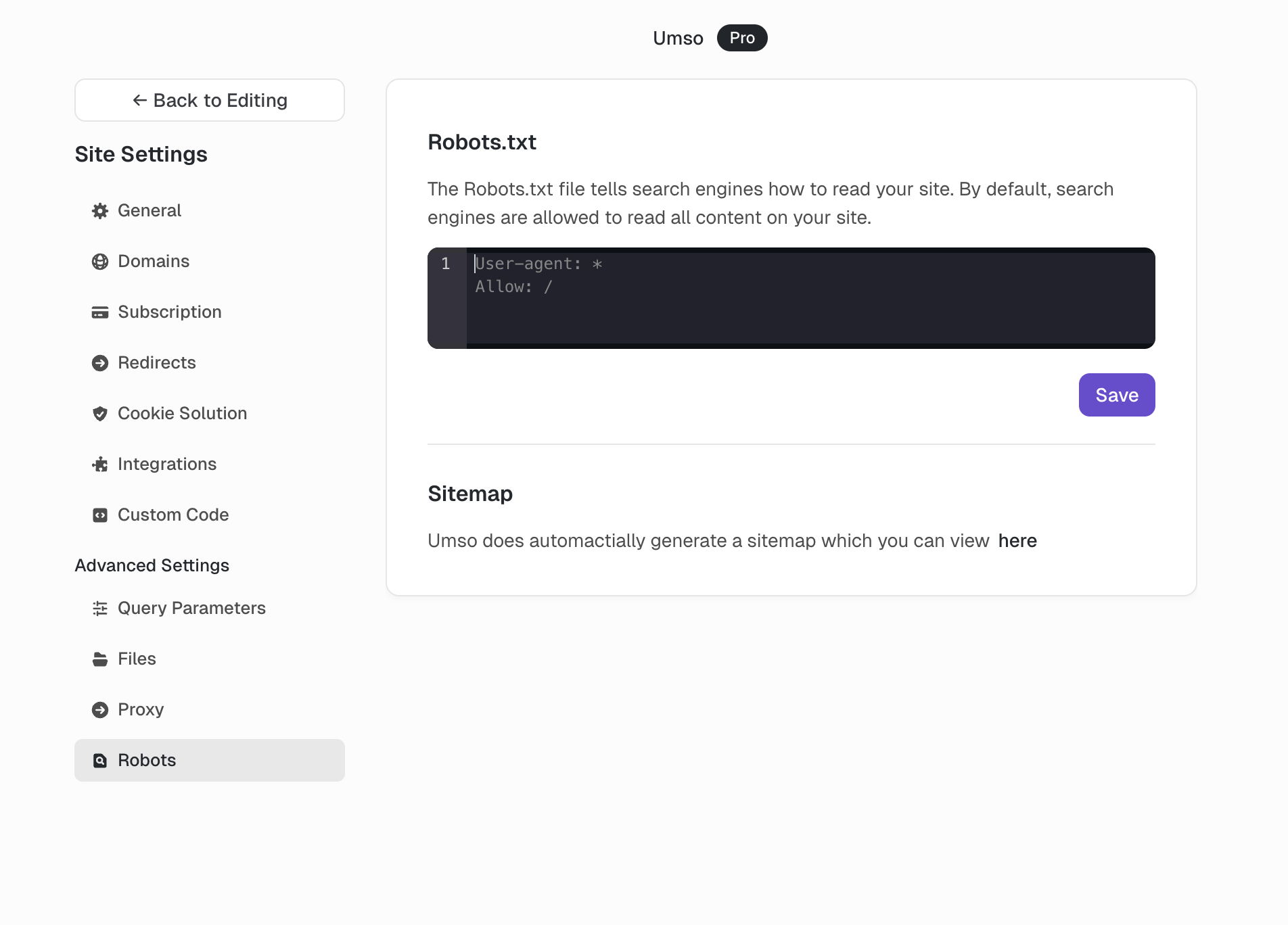
By default, Umso allows all crawlers to access all pages:
User-agent: *
Allow: /
Common Examples
Block All Pages from Google
Prevent Google from crawling any page on your site. Useful for staging sites or when you want to keep your entire site out of search results.
User-agent: Googlebot
Disallow: /
Block a Specific Page
Prevent crawlers from accessing a single page, such as a thank-you page, admin area, or private landing page.
User-agent: *
Disallow: /thank-you
Block Multiple Pages
Prevent crawlers from accessing several specific pages by listing each path on its own line.
User-agent: *
Disallow: /admin
Disallow: /login
Disallow: /dashboard
Block a Directory
Prevent crawlers from accessing all pages within a specific directory path.
User-agent: *
Disallow: /private/
Block AI Crawlers
Prevent ChatGPT and other AI training crawlers from using your site content. Note that not all AI crawlers respect robots.txt, and new crawlers emerge regularly.
# Block ChatGPT / OpenAI
User-agent: GPTBot
Disallow: /

# Block Common Crawl (used for AI training)
User-agent: CCBot
Disallow: /

# Block Google AI training
User-agent: Google-Extended
Disallow: /

# Block Anthropic
User-agent: Claude-Web
Disallow: /

User-agent: anthropic-ai
Disallow: /

# Block other common AI crawlers
User-agent: FacebookBot
Disallow: /

User-agent: bytespider
Disallow: /
Important Considerations
Robots.txt is a guideline, not a guarantee. Most legitimate crawlers respect it, but malicious crawlers may ignore it entirely.
It doesn't hide pages. Pages blocked by robots.txt can still appear in search results if other sites link to them. To prevent indexing entirely, use the block indexing meta tag instead.
Changes take time. Search engines may cache your robots.txt file, so changes can take days or weeks to take effect.
Test your rules. Use Google Search Console's robots.txt Tester to verify your rules work as expected before publishing.
Related
Umso automatically generates a sitemap for your site, which helps search engines discover your pages. For password-protected content, you may also want to use site and page passwords in addition to robots.txt rules.