
Page Picker and Settings
You can find the Page Picker in your editor in the middle of the header. By default, the Homepage is selected as shown here:
Open the Page Picker

Clicking "Homepage" will open the Page Picker and show your Page Settings. If you're not on the homepage, you will see the path of whatever page it is you are currently editing.
Using the Page Picker
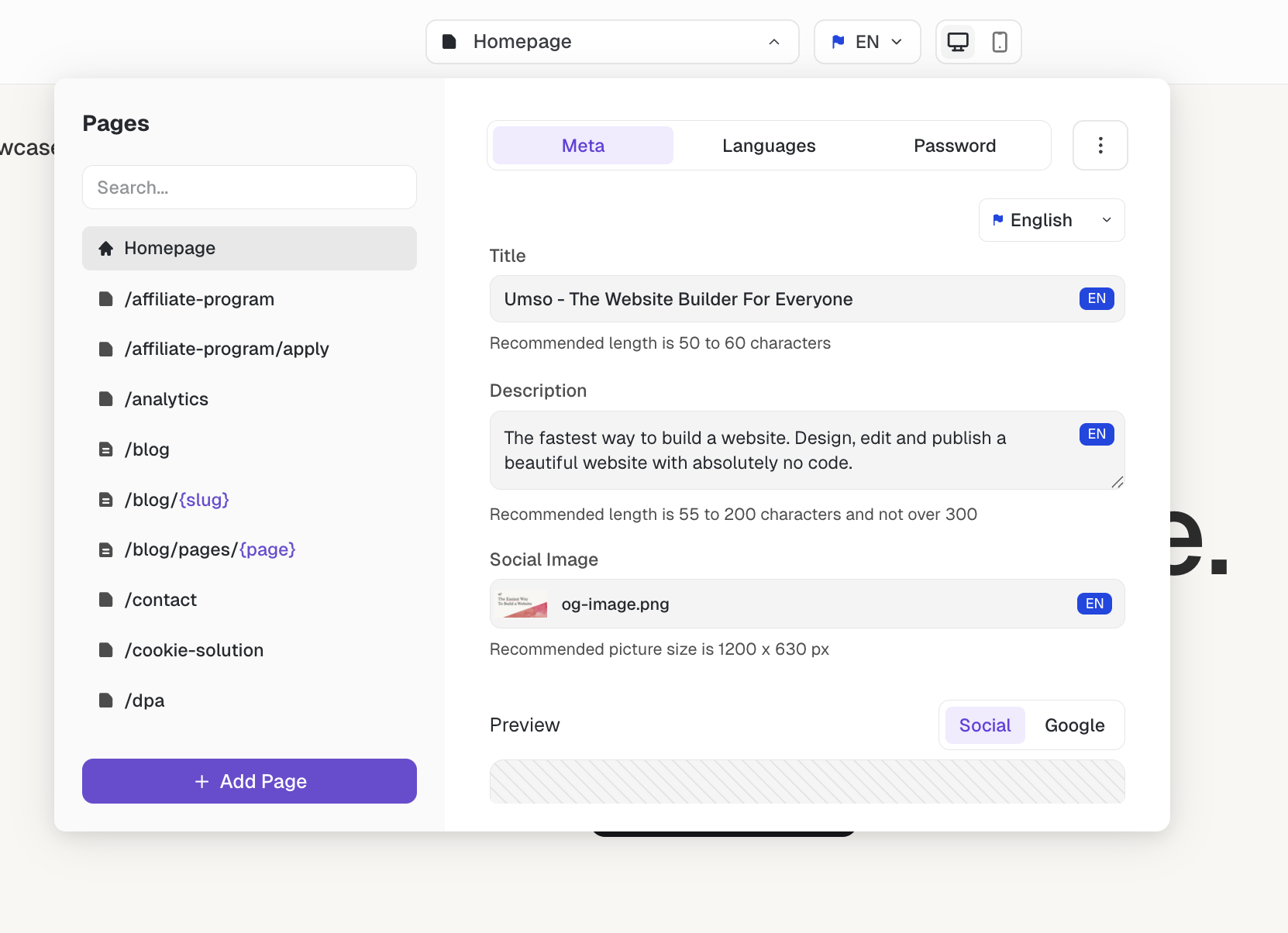
On the left, you can see the sidebar with all your pages and this is used to navigate through your pages. Clicking on a page in the sidebar will open it in the editor and also show you the settings for that page. To click the page-picker you can click anywhere outside of it.
From the page-settings, you can:
Was this helpful?