
Cancel Subscription
This article walks you through cancelling your subscription.
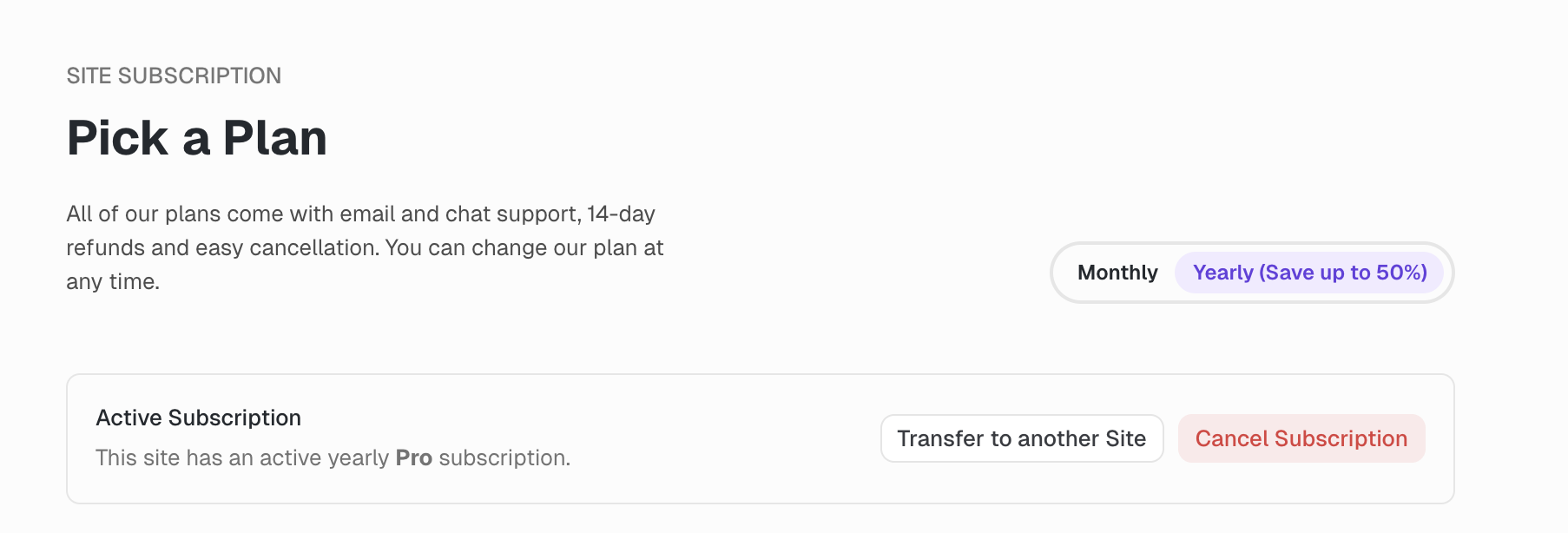
Go to the Subscription Overview
To cancel a subscription, click on the Pro or Basic badge, or on "Manage Subscription" in your site settings to get to the subscription overview.
Confirming Cancellation
Then click on the Cancel Subscription button which will take you to the cancellation page. Review the information on the cancellation page and click on Confirm Cancellation.
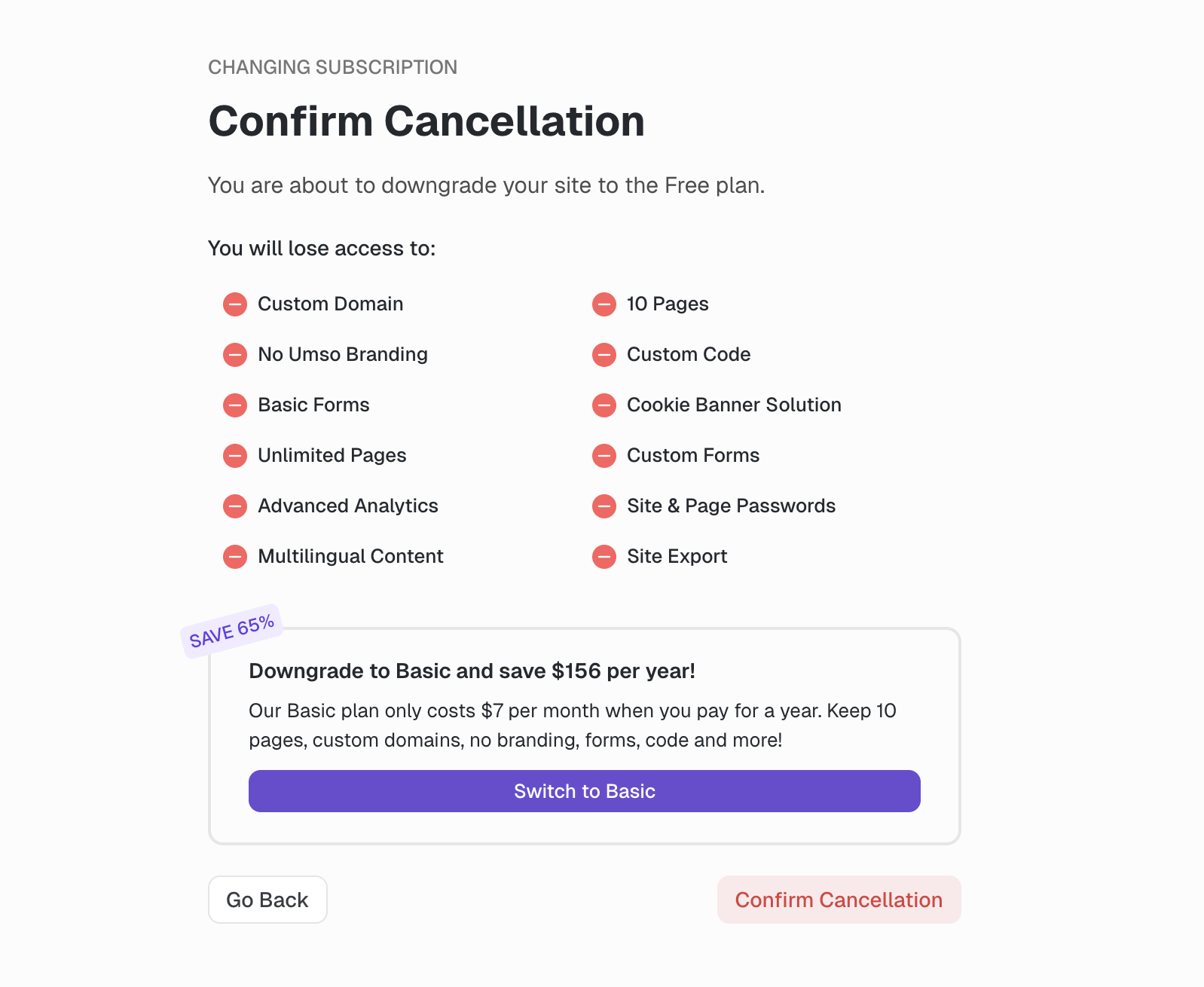
Your subscription will not be cancelled until you click the Confirm Cancellation button
Once you confirm your cancellation you will be shown a brief feedback form. Filling out this form is optional and you may close the page.
Once you've cancelled
Your subscription will still run for the remainder of the duration you have already paid for so you will not see your site status change immediately. To confirm that you have successfully cancelled your subscription, you can view the subscription dashboard again which will now display information about when your subscription ends.
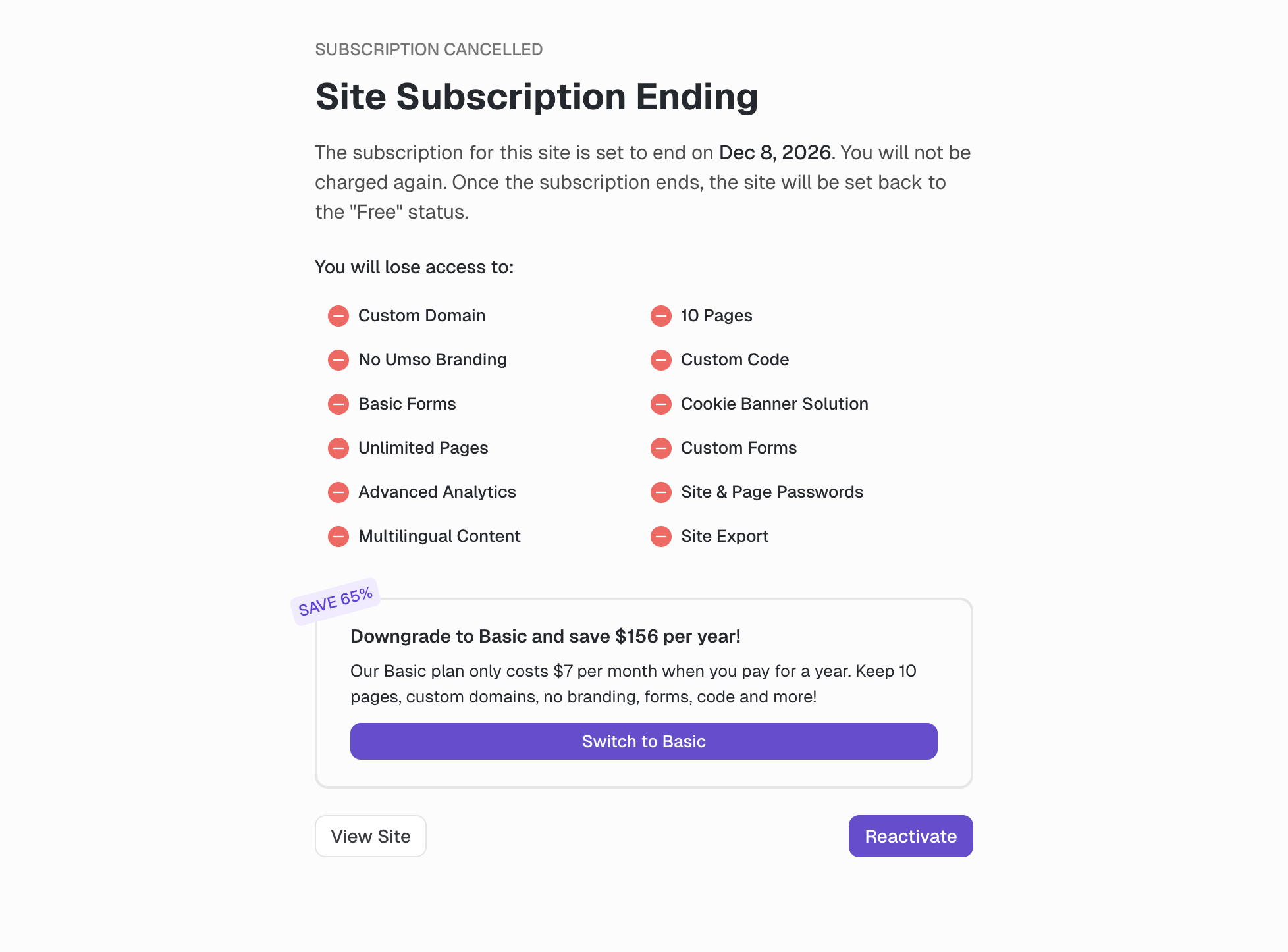
On this page you can choose to reactivate your subscription before it ends. If you decide to keep your subscription. Reactivating the subscription will make it continue as before.